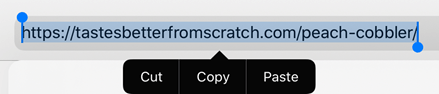
1. Copy a recipe URL from an internet website (Figure 2.1).
2. Tap the Menu icon at the top left corner (Figure 2.2).

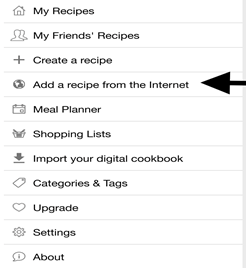
3. Tap “Add a recipe from the internet” from the Menu tab (Figure 2.3).
4. Paste the URL into the search bar (Figure 2.4).
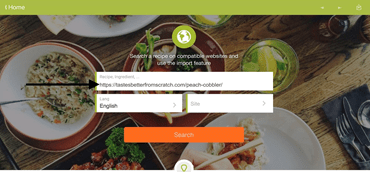
5. Tap “Search” at the bottom of the page.
Pressing search will take you to the recipe’s website.
6. Tap the download icon located in the top right corner to save a recipe.
 My CookBook App User Manual