Note: Make sure to add food categories and tags before manually creating a recipe. For instructions on how to do this, see the FAQ.
1. Tap the Menu icon at the top left corner (Figure 1.1).

2. Tap “Create a recipe” from the Menu tab (Figure 1.2).
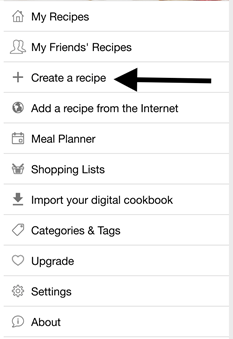
3. Tap “Title” to label your recipe.
Optional: Add images and rate your recipe.
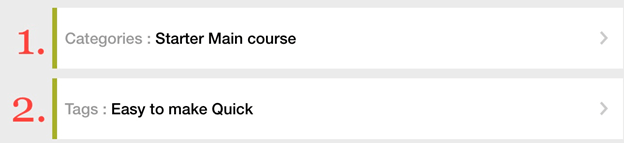
4. Tap and enter “Categories” and “Tags” for your recipe (Figure 1.3).
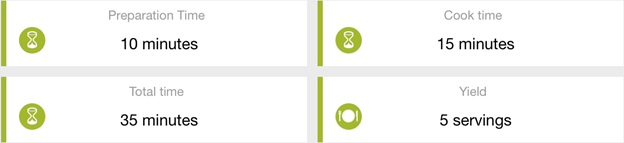
5. Enter the preparation time, cook time, total time, and yield for your recipe (Figure 1.4).
6. Tap “Ingredients.”
7. Press the plus-sign icon to add more ingredients.
8. Tap “Step 1” under “Directions” to enter the first instruction.
9. Press the plus-sign icon to add more ingredients.
Optional: Enter any comments, sources, or URLs for your recipe.
10. Tap “Save” after entering the steps to log your recipe into the cookbook.
 My CookBook App User Manual