1. Tap the Menu icon in the top left corner (Figure 4.1).

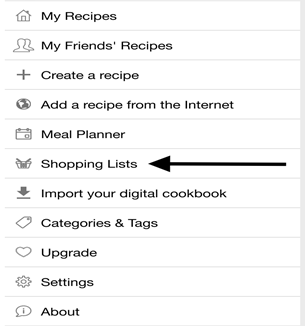
2. Tap “Shopping List” from the Menu bar (Figure 4.2).
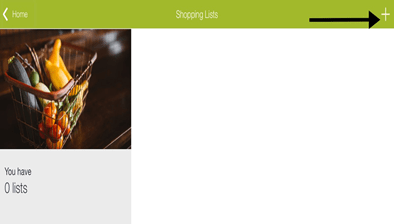
3. Tap the plus sign in the top right corner (4.3).
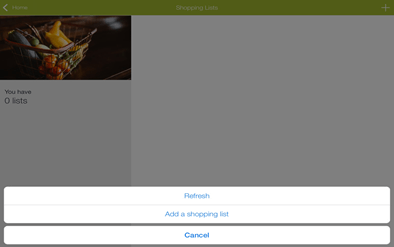
4. Tap “Add a Shopping List” from the listed options (Figure 4.4).
5. Tap “Name” to label your shopping list.
6. Tap on “Ingredients” to enter the recipe’s ingredients (Figure 4.5).
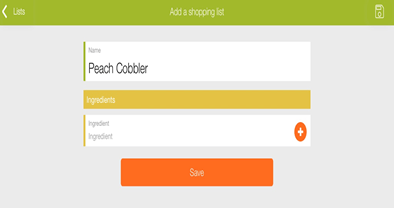
7. Tap the plus-sign icon to add more ingredients.
8. Tap “Save” to log your shopping list.
 My CookBook App User Manual